-
Those who hold the Supervisor role within DLS are able to self enrol onto a competency self assessment in order to experience the platform functionality from a learner perspective. Firstly the Supervisor needs to add the self assessment to their profile in the Supervise function, then the self assessment can be accessed in the Learning Portal.
Adding the self assessment via the Supervise function
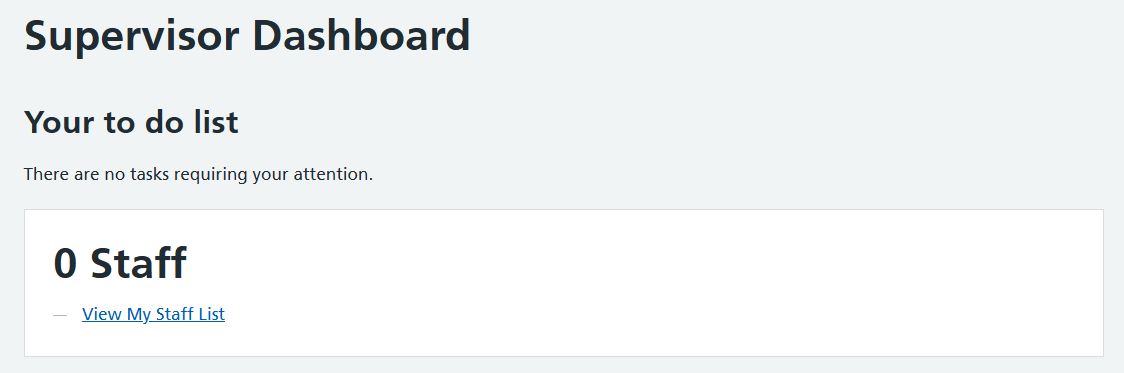
1. Go to Supervise function
2. Select View My Staff List
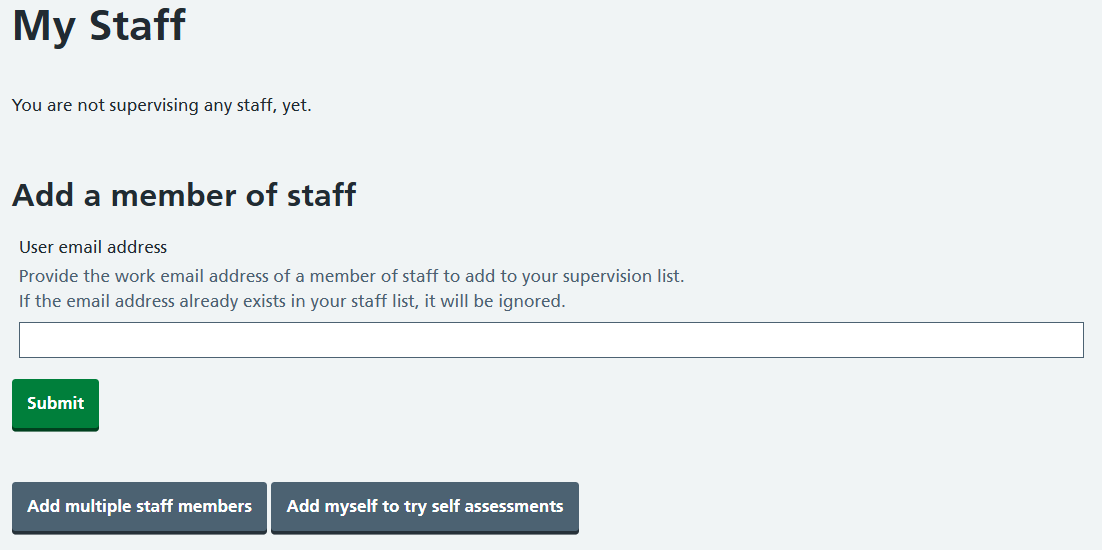
3. Select Add myself to try self assessments
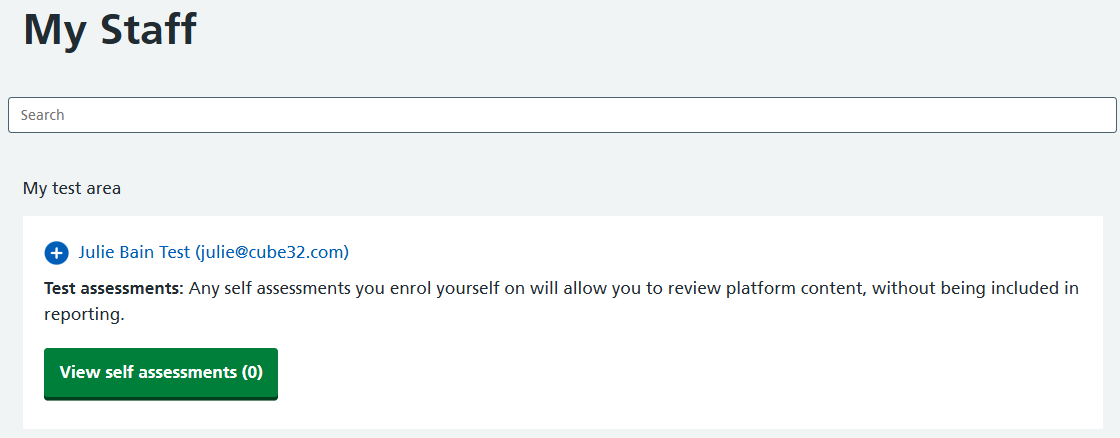
4. Select View self assessments
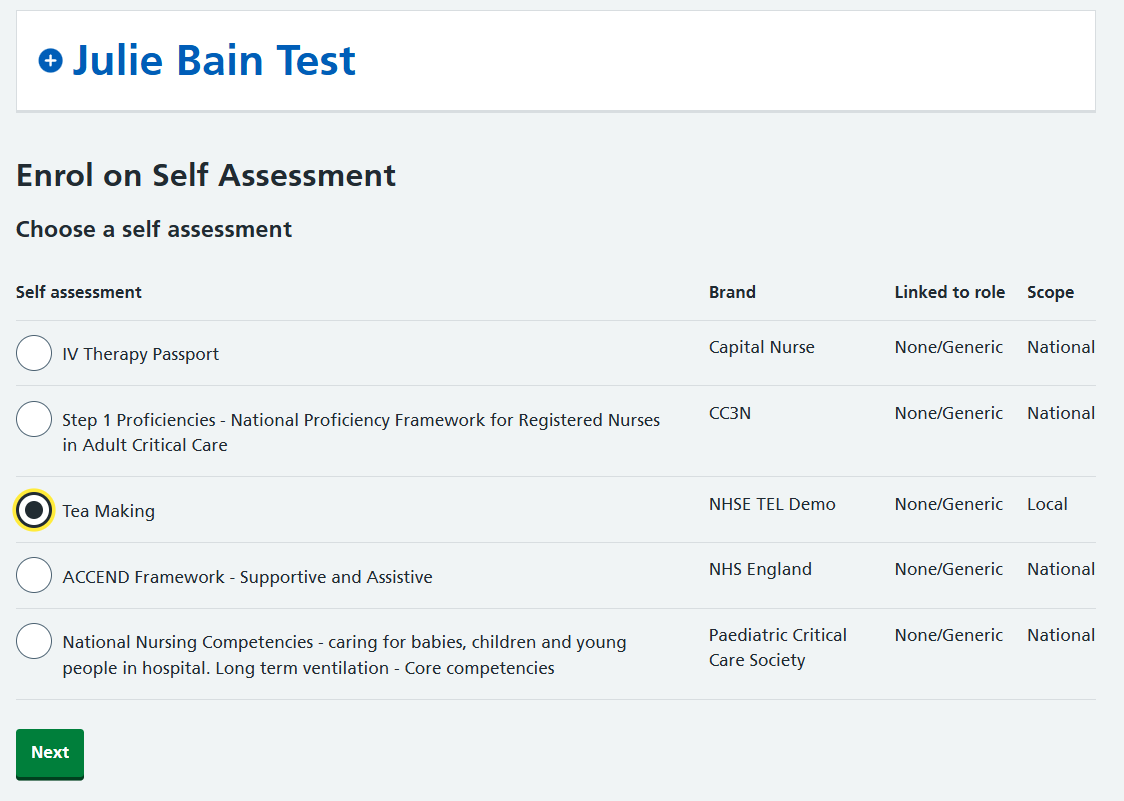
 5. Select Enrol on self assessment . Select the self assessment to be tested, then select Next
 6. Choose a date the self assessment needs to be completed by (if applicable). This field is optional and can be added, changed or removed at a later date. Select Next
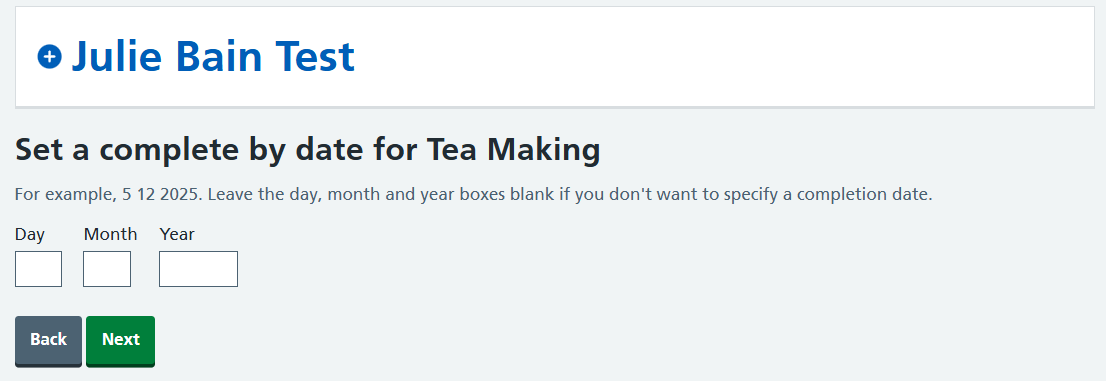 7. Check the details are correct. Select Confirm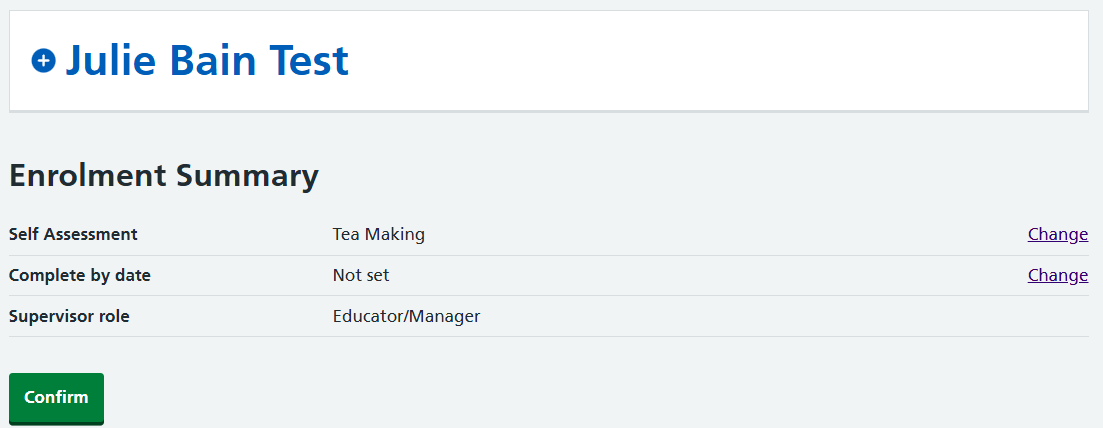
8. Confirmation the self assessment has been added will show on screen. To add more self assessments to test select Enrol on self assessment.
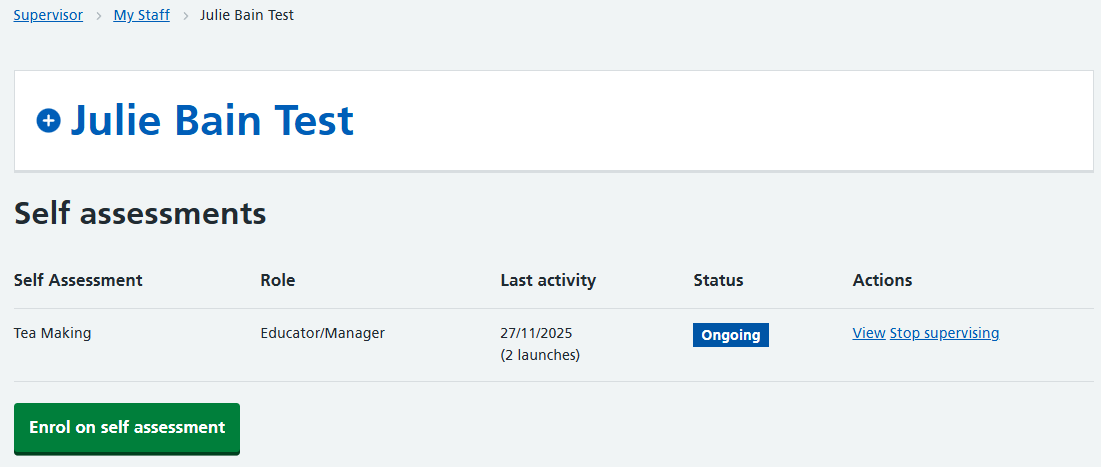
When self enrolling onto a self assessment, this will show in the Learning Portal as a TEST. Anyone needing to complete the self assessment as a learner should be enrolled onto the self assessment by another Supervisor.
Viewing the self assessment in the Learning Portal
1. Go to the Learning Portal. If already in the Supervise function, select Switch application to change function.
2. The self assessment will show under My Current Activities. Select Launch self assessment.
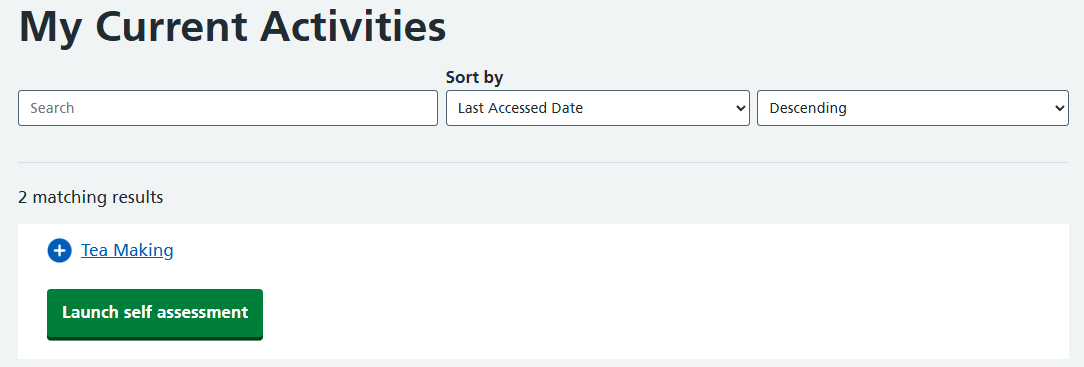
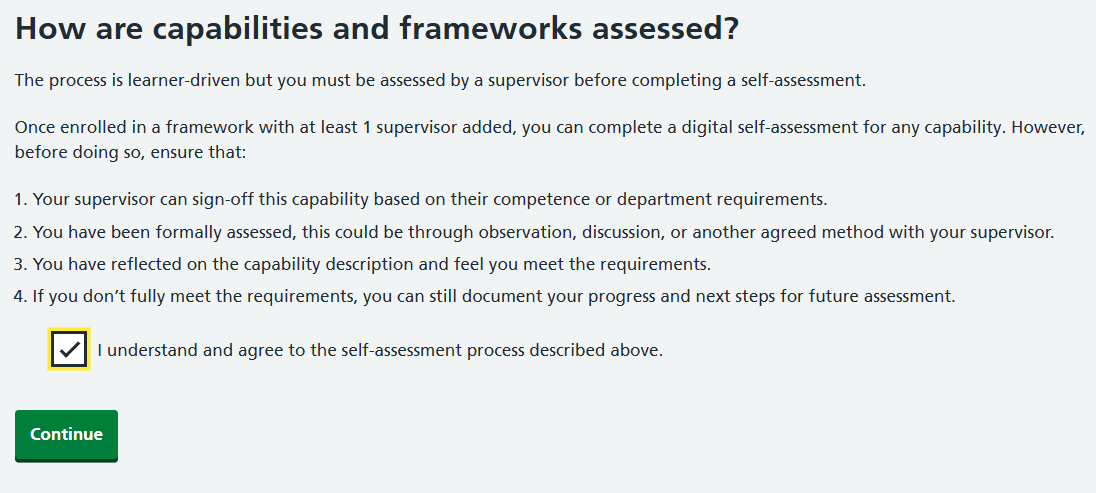
3. Confirm the self assessment declaration and select Continue
 4. Select View (capabilities, proficiencies or competencies)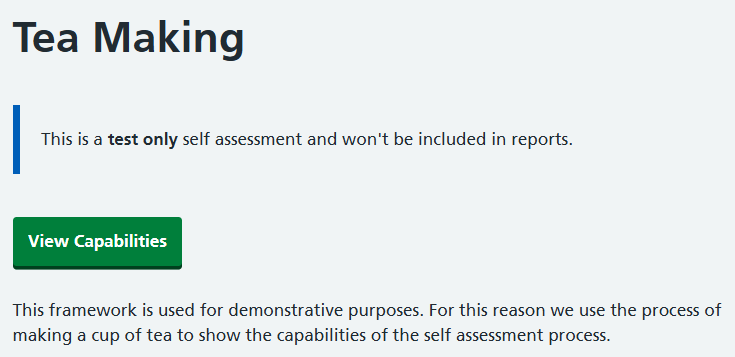
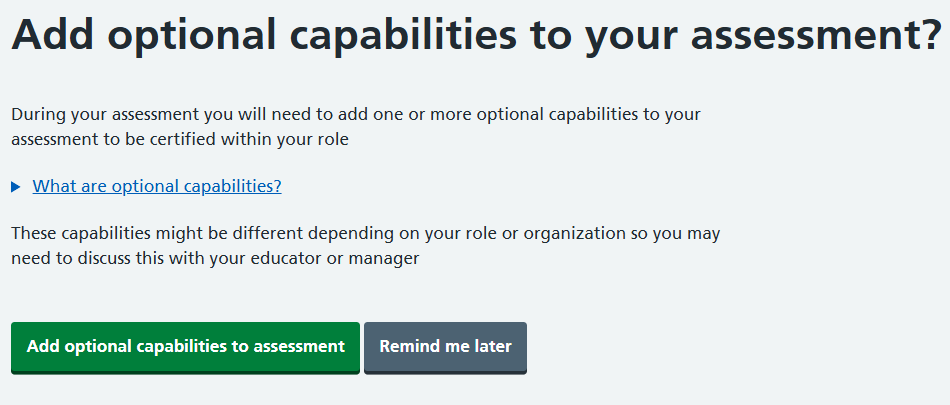
5. Individual self assessments may require the addition of optional competencies. Add these if required or choose Remind me later to move straight to the self assessment
6. The self assessment will display on screen and can be used in exactly the same way as a learner. Visit Self assessing achievement of competencies to learn more about the learner journey.
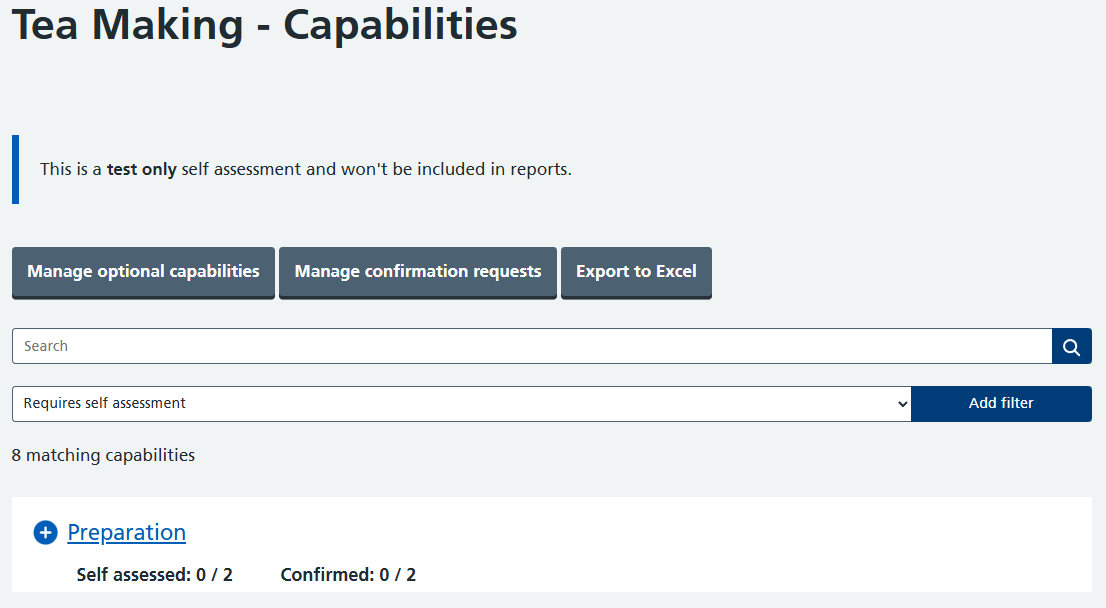
Any self assessment where a Supervisor has self enrolled will show as test only.
Was this article helpful?
That’s Great!
Thank you for your feedback
Sorry! We couldn't be helpful
Thank you for your feedback
Feedback sent
We appreciate your effort and will try to fix the article
-
Articles in this folder -
You may like to read -
Self-enrolling onto a test self assessment
Modified on Thu, 9 Jul at 11:24 AM